

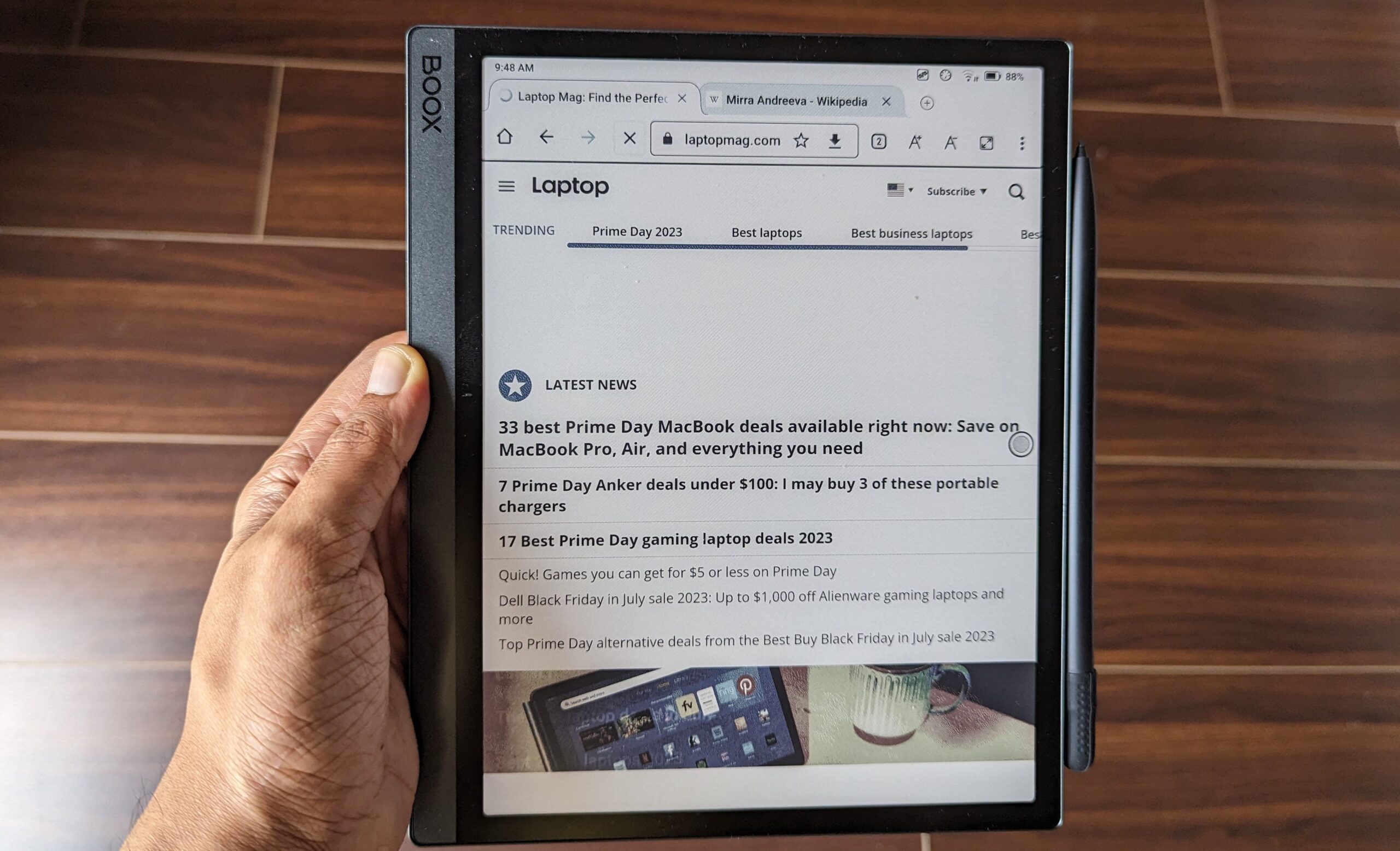
Why E-ink Tab Devices Are Transforming Digital Reading in 2026
The demand for distraction-free digital devices has grown rapidly, and the modern E-ink Tab has become one of the most important tools for readers, students, and professionals. Unlike traditional tablets that rely on bright LCD or OLED screens, an E-ink Tab uses electronic ink technology that closely mimics real paper. This makes it easier on the eyes, especially during long reading or writing sessions.
In 2026, E-ink Tab devices are no longer limited to simple e-readers. They now include advanced note-taking features, AI-powered organization tools, cloud syncing, handwriting recognition, and even productivity apps designed for focused workflows. Whether you are a student taking lecture notes, a professional managing documents, or a reader who consumes books daily, choosing the right E-ink Tab can significantly improve your productivity and comfort.
Understanding What Makes an E-ink Tab Different
An E-ink Tab is fundamentally different from a traditional tablet. It does not rely on backlit screens, which reduces eye strain and allows for longer usage without fatigue. Instead, it reflects ambient light, just like paper.
The biggest advantages of an E-ink Tab include:
Long battery life, often lasting days or even weeks
Paper-like reading experience that reduces eye strain
Minimal distractions compared to regular tablets
Excellent readability in bright sunlight
Lightweight and portable design
These features make the E-ink Tab ideal for people who prioritize reading and writing over multimedia consumption.
Key Features to Look for in an E-ink Tab
Choosing the right E-ink Tab depends on your specific needs. Not all devices are created equal, and understanding key features will help you make a better decision.
Display Quality and Refresh Rate
The display is the most important part of any E-ink Tab. Modern devices in 2026 offer improved refresh rates that reduce lag when turning pages or writing notes. Higher resolution displays provide sharper text and smoother handwriting recognition.
If you plan to read a lot of PDFs or academic papers, a larger screen size (10–13 inches) is ideal. For casual reading, smaller and more portable E-ink Tab devices may be sufficient.
Writing and Note-Taking Experience
One of the biggest reasons users buy an E-ink Tab is for note-taking. Stylus support has improved significantly, offering pressure sensitivity and near-zero latency writing.
When choosing your device, check:
Pen responsiveness and lag
Palm rejection quality
Available templates for notes
Organization tools like folders and tagging
A good E-ink Tab should feel as close to writing on paper as possible.
Battery Life and Performance
Battery life is one of the strongest advantages of an E-ink Tab. Most devices can last several days or even weeks depending on usage. However, performance still matters, especially if you switch between reading, writing, and syncing documents.
In 2026 models, faster processors ensure smoother multitasking and quicker file loading without compromising battery efficiency.
Software Ecosystem and Compatibility
A powerful E-ink Tab is only as good as its software. Some devices come with open ecosystems that support third-party apps, while others are more closed but optimized for reading and writing.
Look for features like:
Cloud syncing (Google Drive, Dropbox, OneDrive)
PDF annotation tools
Handwriting-to-text conversion
Cross-device synchronization
A strong software ecosystem ensures your E-ink Tab becomes a seamless part of your daily workflow.
Best Use Cases for an E-ink Tab
The versatility of an E-ink Tab makes it suitable for different types of users.
For Students
Students benefit greatly from E-ink Tab devices because they can store textbooks, take handwritten notes, and organize study materials in one place. The distraction-free interface also helps improve focus during study sessions.
For Professionals
Professionals use E-ink Tab devices for meetings, document annotation, and task planning. The ability to mark up PDFs and sync notes across devices makes it a powerful productivity tool.
For Readers and Writers
Book lovers appreciate the comfortable reading experience, while writers enjoy distraction-free drafting environments. An E-ink Tab helps maintain focus and encourages deep reading and writing habits.
Advantages of Using an E-ink Tab Over Traditional Tablets
While traditional tablets are more powerful in terms of multimedia and apps, an E-ink Tab excels in focus and usability for reading and writing tasks.
Key advantages include:
Reduced eye strain during long sessions
Better focus due to fewer distractions
Superior battery efficiency
More natural reading experience
Improved handwriting feel with stylus support
These benefits make the E-ink Tab a preferred choice for knowledge workers and students.
Limitations You Should Consider
Despite its advantages, an E-ink Tab is not perfect. Understanding its limitations will help set realistic expectations.
Slower refresh rates compared to LCD tablets
Limited support for heavy apps and games
Mostly grayscale display in many models
Higher cost for premium features
If you need a device for gaming, video editing, or color-rich media consumption, an E-ink Tab may not be the best choice.
How to Choose the Right E-ink Tab for Your Needs
Selecting the best E-ink Tab depends on your lifestyle and usage patterns.
If your focus is reading, choose a lightweight model with high-resolution display and strong battery life.
If note-taking is your priority, go for a device with excellent stylus support and writing latency.
If productivity is key, select an E-ink Tab with strong cloud integration and multitasking features.
Also consider screen size, storage capacity, and ecosystem compatibility before making a decision.
Future of E-ink Tab Technology in 2026 and Beyond
The future of E-ink Tab technology looks extremely promising. Manufacturers are investing in color E-ink displays, faster refresh rates, and AI-driven note organization systems. Some upcoming devices are expected to feature voice integration, real-time collaboration tools, and enhanced PDF interaction.
As technology evolves, the E-ink Tab is likely to become an even more powerful productivity device while still maintaining its core strength: a distraction-free, paper-like experience.
Final Thoughts on Choosing the Best E-ink Tab
The E-ink Tab has become an essential tool for modern digital readers and professionals who value focus and efficiency. Whether you are reading books, taking notes, or managing documents, the right E-ink Tab can dramatically improve your workflow.
By carefully evaluating display quality, writing experience, battery life, and software ecosystem, you can choose a device that perfectly matches your needs. As we move further into 2026, the E-ink Tab continues to bridge the gap between traditional paper and modern digital productivity, offering a balanced and highly effective solution for everyday use.